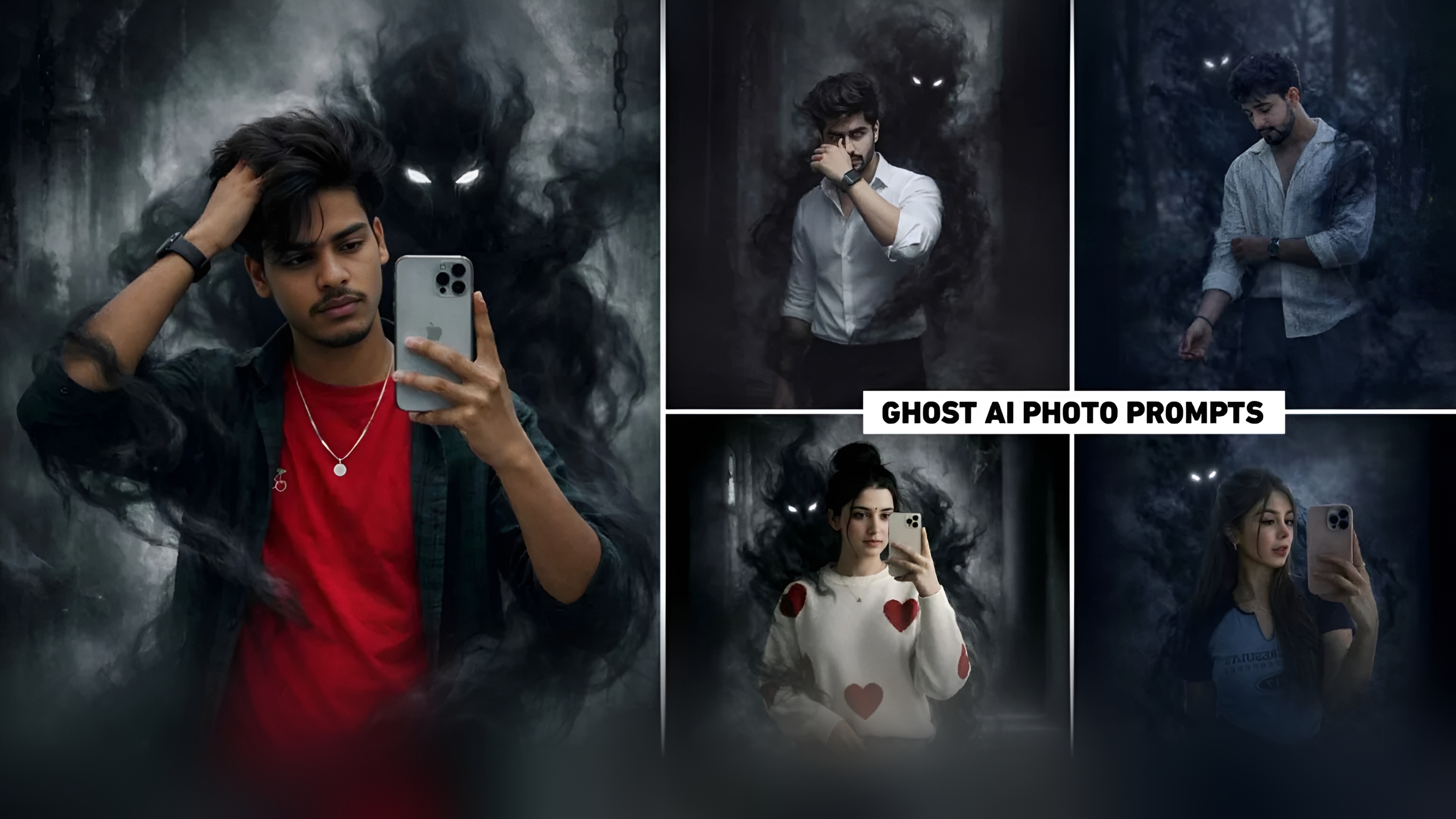
दोस्तों, सोशल मीडिया पर एक नया और अद्भुत ट्रेंड वायरल हो रहा है। इस ट्रेंड में लोग अपनी सामान्य सेल्फी और तस्वीरों को डरावनी और हॉरर थीम वाली सिनेमाई छवियों में बदल रहे हैं। यह ट्रेंड इंस्टाग्राम रील्स और यूट्यूब शॉर्ट्स पर हर जगह देखा जा रहा है, जिसमें डार्क मूडी और फंतासी-इंस्पायर्ड लुक दिखाई दे रहे हैं।
Ghost AI फोटो प्रॉम्प्ट
बेहतर फोटो कौन बनाएगा: Gemini या ChatGPT?
देखिए, आप शायद पहले से ही जानते हैं कि Gemini और ChatGPT दोनों ही शक्तिशाली AI टूल हैं। हालांकि, बेहतर फोटो के परिणाम आपके उपयोग के मामले और प्रॉम्प्ट लिखने की शैली पर निर्भर करते हैं। यदि आप तेज, अत्यधिक विस्तृत और यथार्थवादी छवि आउटपुट चाहते हैं, तो आप Google Gemini का उपयोग कर सकते हैं। क्योंकि Google Gemini छवियां बहुत तेजी से जनरेट करता है। यह टूल विशेष रूप से उपयोगी है जब आप अपनी सेल्फी को सीधे अपलोड करके त्वरित रूपांतरण चाहते हैं।
प्रॉम्प्ट्स का उपयोग करके Ghost AI फोटो एडिटिंग कैसे बनाएं?
एक बार जब आपको कहीं से भी प्रॉम्प्ट मिल जाता है, तो फोटो बनाना अविश्वसनीय रूप से आसान हो जाता है। आप छवि जनरेट करने के लिए Google Gemini या ChatGPT का उपयोग कर सकते हैं। हमने ChatGPT और Gemini दोनों का उपयोग करके घोस्ट फोटो बनाने की कोशिश की, लेकिन सबसे अच्छे परिणाम ChatGPT के साथ मिले। हालांकि छवि जनरेट करने में थोड़ा अधिक समय लगता है, परिणाम काफी बेहतर थे।
- सबसे पहले, ChatGPT ऐप या वेबसाइट पर जाएं।
- वहां अपने Gmail ID से लॉग इन करें।
- बाएं कोने में प्लस विकल्प पर क्लिक करें, फिर फोटो विकल्प पर क्लिक करें।
- अपनी गैलरी से वह फोटो जोड़ें जिसमें आप फोटो लगा रहे हैं।
- अब, हमारे द्वारा दिए गए प्रॉम्प्ट को मैसेज बॉक्स में दर्ज करें।
- कृपया एक पल प्रतीक्षा करें, आपकी फोटो में भूत दिखाई देगा।
- कुछ दिन प्रतीक्षा करने के बाद, आपकी फोटो तैयार हो जाएगी।
- अब अपनी फोटो पर क्लिक करें और उसे सेव करें।